
How We Do Code Reviews at Cloud Four
TL;DR: If your team members dread the notification that they’ve been added as a reviewer on a pull request, I think the following guidelines can help.
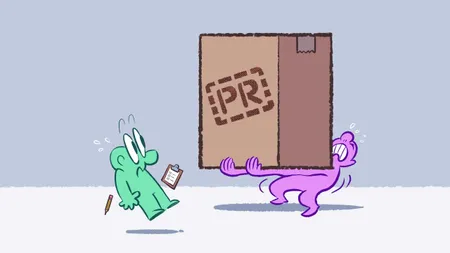
Does this sound familiar to you?
Chat, is it good when your AI-obsessed colleague drops a +16,105 -193 pull request with 102 commits all titled “wip: implement next task” and asks that it be immediately approved for next release?
— eva
The issue isn't AI specifically, but the speed with which contributors can generate massive amount of code, exposing weaknesses in a team's workflow.
Cloud Four is currently a small agency, with only a handful of devs. We often work together with our client’s internal developers, or with contractors. Because of this, we’ve developed a set of best practices that I’m quite proud of. If your team members dread the notification that they’ve been added as a reviewer on a pull request, I think the following guidelines can help.
All Code Gets Reviewed
Our first rule is a strict one. If a code change is going to production, it gets reviewed. We work for clients, so “move fast and break things” isn’t a realistic way to do business. If I get sloppy and push unreviewed code that causes an incident, I’ve put the client in a bad spot, triggered an urgent crisis for my team to deal with, and perhaps jeopardized our client relationship.
In every code repository we work in, we recommend enabling protection rules for the production branch. GitHub makes it easy to require a pull request before merging, and to require pull requests be approved by someone other than the author. The only exception we make is to grant certain senior developers permission to bypass these rules for safe changes like minor dependency updates.
I know teams that require two developers to review every pull request. Normally, one dev can be the person who submitted the PR, but in the case of AI-authored pull requests, two human devs still need to review it. That’s a clever way to ensure automated code gets a bit more attention than normal.
The natural consequence of requiring a review for all code is the dev team has to actually review all that code. This can be time-consuming, and if you don’t already have a team culture that values code review, this may be a tough pill to swallow. The rest of our guidelines are aimed at reducing the burden placed on code reviewers.
Prefer Many Small PRs Over One Giant PR
Firstly, we absolutely reserve the right to reject massive pull requests like the one described in the introduction. A common problem we run into is pull requests that make multiple unrelated changes, such as including a refactoring pass alongside new features or bug fixes. When I see this happen, I’ll reach out to the dev in a non-confrontational way and explain that by combining all their changes like this, it makes the reviewer’s task much more difficult.
Here are some things we’ll commonly ask a dev to pull out into a separate pull request:
- Lint rule changes that result in many files being changed at once. This happens, but there’s no reason to combine it with anything else. It’s easier to review dozens of similar file changes when there’s no unrelated changes lurking in the code. Plus, it simplifies the acceptance criteria for the lint changes if you don’t expect any impact on functionality.
- Moving code from one location to another. If there’s a huge block of red in one file, and a huge block of green in another file, and a comment saying “no changes, just relocated this code for [reasons],” that’s trivial to review. On the other hand, if the code moved and there are also unrelated changes, the code diff doesn’t show those changes. It’s far easier to review if you break it up into one PR to move the code, and another to modify it.
- Unrelated bug fixes or features. I know it’s tempting to fix a bug you noticed while you were in that file, or to update some code to modern standards, but that just adds noise for the reviewer. It’s totally fine to file a second pull request at the same time, making that bug fix.
Once your team gets the hang of it, you’ll see fewer monster pull requests, and your team will become more comfortable pushing back on unnecessarily large pull requests in general.
Explain Why This Change is Needed
A pull request should not just explain what changes are being made, it should explain why they’re being made. That context is incredibly valuable to anyone who isn’t intimately familiar with the code you’re changing. Whether that’s your fellow dev who is taking time away from their tasks in a different part of the code base, someone who works on another team entirely, or yourself in the future.
I want to emphasize that last one. I can’t tell you how many times I’ve been trying to figure out why some feature works the way it does, and when I dive into git blame I see my name staring back at me. When I track the change back to a commit I authored with a well-written description, I’m relieved. Conversely, when I find a simple “change the client wanted” comment, I want to pull my hair out.
The same is true of any developer who ends up reviewing your code. Give them the context for why you’re making this change. What problem were you solving? Why was this the best solution? Armed with this information, your reviewer will have an easier time.
Provide Thorough Testing Instructions
The phrase “acceptance criteria” isn’t just for project managers! After a good description of why the change is being made, we like to provide detailed testing instructions. We started this when we were working with some new contractors, who didn’t necessarily have a full picture of how to test the application. It's also proven valuable when non-developers step in to help out while we’re facing an impending deadline.
Don’t assume the person who is testing your pull request knows how to work with your app. We often literally provide step-by-step checklists like this:
- Check out this branch in your local environment
- Set
new_feature_flaginconfig.jstotrue - Start the app and navigate to
/new-feature - Apply a filter using the hamburger menu in the top-right
- You should see the list of cards has been filtered
- Remove the filter
- Now you should see all the cards again
- Etc…
This might feel like overkill, especially if another dev on your team will review it. But remember that other dev may be working on another part of your application, and hasn’t been paying careful attention to the part you’re working on. A checklist like this, that doesn’t assume the reviewer already knows how to test your feature, reduces the burden on any reviewer, and even opens the door to less-technically minded team members helping with testing.
Another benefit of this approach is that writing out testing instructions gives you an opportunity to follow those instructions. I can’t tell you how often, in the course of writing a step-by-step checklist for a pull request, I’ve uncovered an issue. If I can address that before the reviewer starts, I’m saving everyone time.
Bonus: writing testing instructions for a human tends to give you a clear idea for automated tests. After all, if you know how it should work, why not let your CI workflow check it for you?
Code Review is a Culture Issue
What all these suggestions have in common is being aware of the cognitive burden on another developer who may be stepping away from their assigned tasks to think about yours. Context switching is a productivity killer, and anything you can do to make it easier for someone else to review your code helps avoid code review becoming something your team members dread.
Requiring all code be reviewed before going to production shows you value the quality of what you ship. Asking your team to prefer small pull requests over large ones helps reduce the scope of review. Providing context for why a change was made helps the reviewer understand those decisions. And providing clear testing instructions means reviewers don’t get derailed figuring out how to test the changes.
All of this adds up to a culture that expects quality code, values the time it takes to review it, and respects the team’s efforts to do so.